
Tyme Wear
The design process for creating Tyme Wear: Triathletes' training buddy
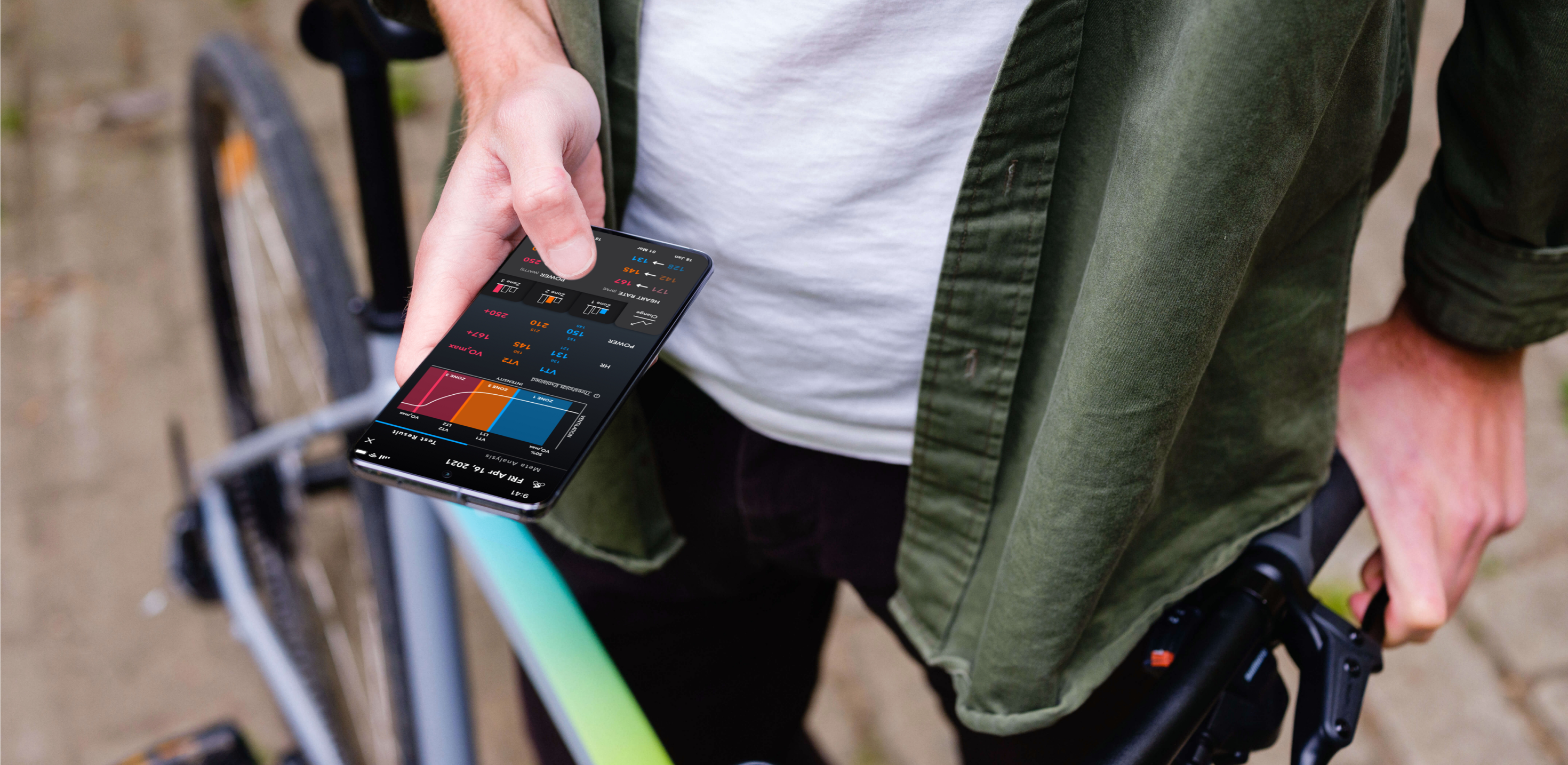

The Challenge
How do you design a smart training partner that makes complex athletic data feel intuitive and actionable, even mid-workout?
Goal 01
Create intuitive data visualization for Tyme Wear to increase user retention.
Goal 02
Facilitate the usage of the application by users who are currently engaged in physical activity.
Goal 03
Create an engaging platform.
My Role
I led the Product Design (UX and UI) of the Tyme Wear App until 2021. I collaborated with the Product Owner & CEO, and the Development Team to research, scope, plan and execute.
- Customers Insights & Ideation
- Building the Project Vision
- User Interface & Experience
- Motion & Interactions
- Mobile and Apple Watch app design
About Tyme Wear
Tyme Wear functions as a smart training partner for triathlon preparation.
Tyme Wear was founded in 2016 in Boston by Arnar Larusson, a triathlete, ultra-marathoner, and mechanical engineer who previously conducted research at Harvard on soft exoskeletons. Born from a firsthand understanding of what endurance athletes need, the company developed a smart shirt with a wearable sensor that tracks breathing rate, tidal volume, and minute ventilation to help athletes measure their unique fitness level and individualize their training.
The key innovation includes the smart shirt with an attached Pod for threshold testing and workout optimization, accessible via a cross-platform mobile app, smartwatches, and Apple Watch.
Design Process
Research → Conceptualization → Production → Validation
The first step of the design process involved user and desk research to understand how competitors and users behave. I believe it's important to get this information early in the process, before trying to come up with ideas or prototyping.
After analyzing these insights, I began to conceptualize the solution, focusing on user flows and data visualization iteration. Then I moved into production, designing the interface applying contrast, hierarchy, feedback, brand attributes, and user interactions.

Customer Insights
Understanding recreational triathletes through data analysis
Analyzing the collected data from all the users that were using the proof of concept device (the Pod) and the app was the most relevant information for decision-making in developing the solution.
Target Group: Recreational Triathletes
Gender
Male (main buyer persona)
Age
30–55 years
Language
Fluent in English
Race Experience
Recreational, previous participation in at least 1 triathlon
Race Ambition
Olympic Distance training, finish within predefined time
Training
6–12 hours/week, at least 5 sessions/week
Pain Points
- Time management (sport, work, family)
- Lack of training plan individuality
- Training post-injury and overtraining concerns
- Inflexible plan adjustments during illness
- Insufficient training intensity and efficiency data
Market Insights
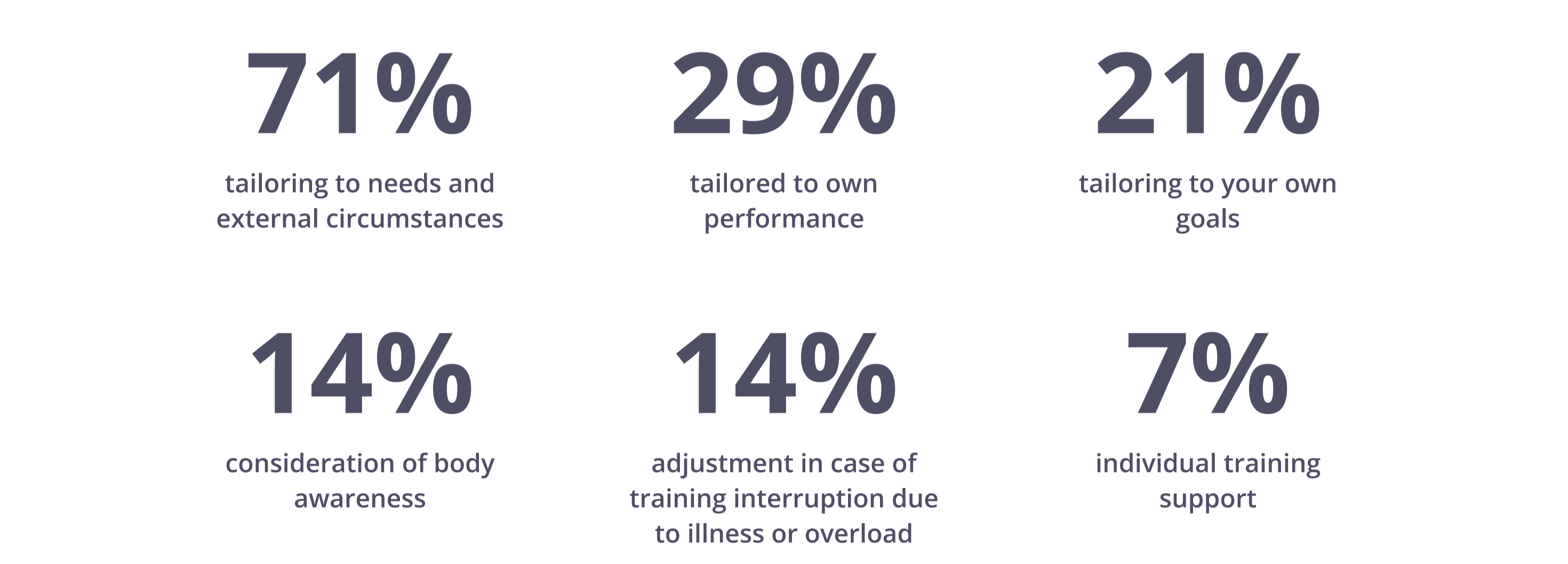
Individualization is the core need
The main insight found is that individualization is the core need of triathlon athletes in the long run of their improvement process (based on research data).
User Flow
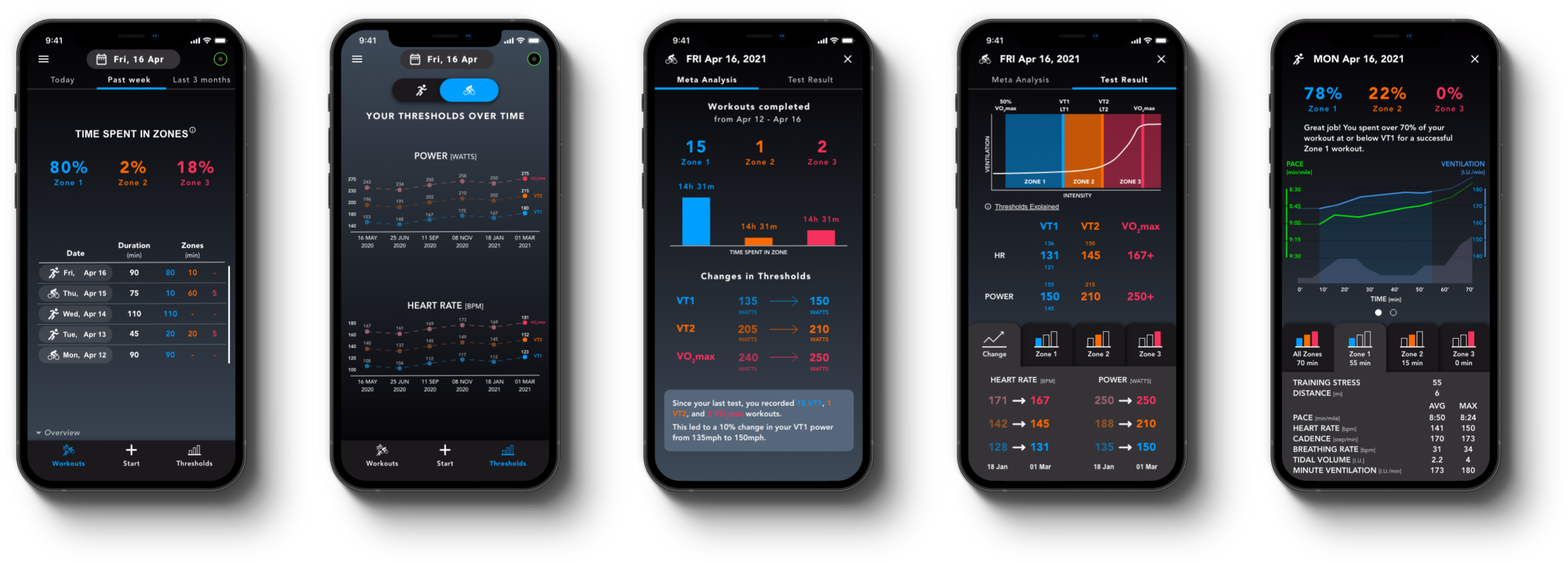
Three main functionalities in the bottom navigation
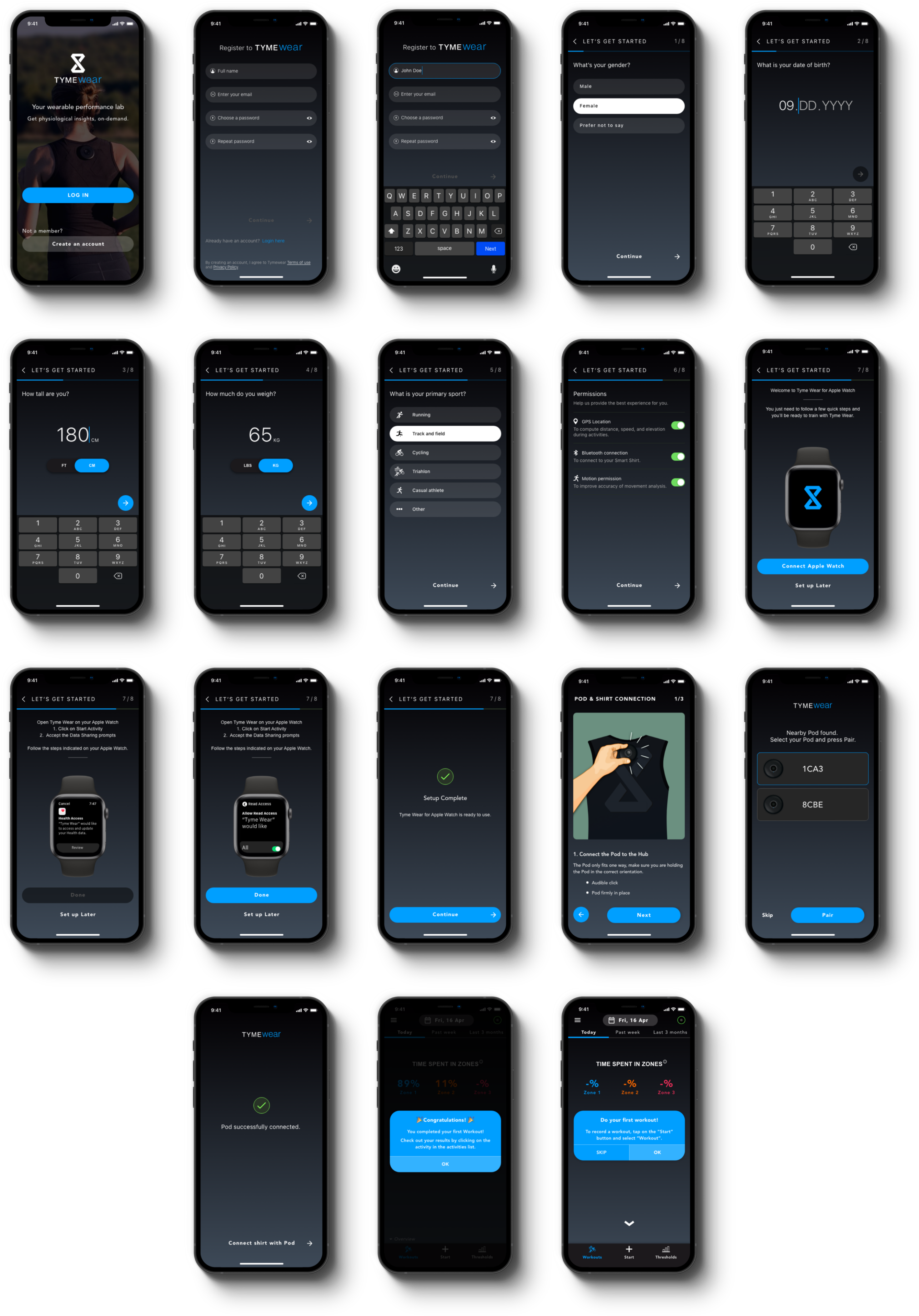
The app's bottom navigation centers around three main functionalities: insight data from previous workouts, start threshold test, and start new activity.
Users tap the plus (+) icon to select activity type (workout or threshold test), begin setup, and record the activity with pause/complete options. Post-workout feedback is collected via a succinct form, correlated with Pod results for performance insights. Activity-specific dashboards display metrics and workout overviews.

User Interface
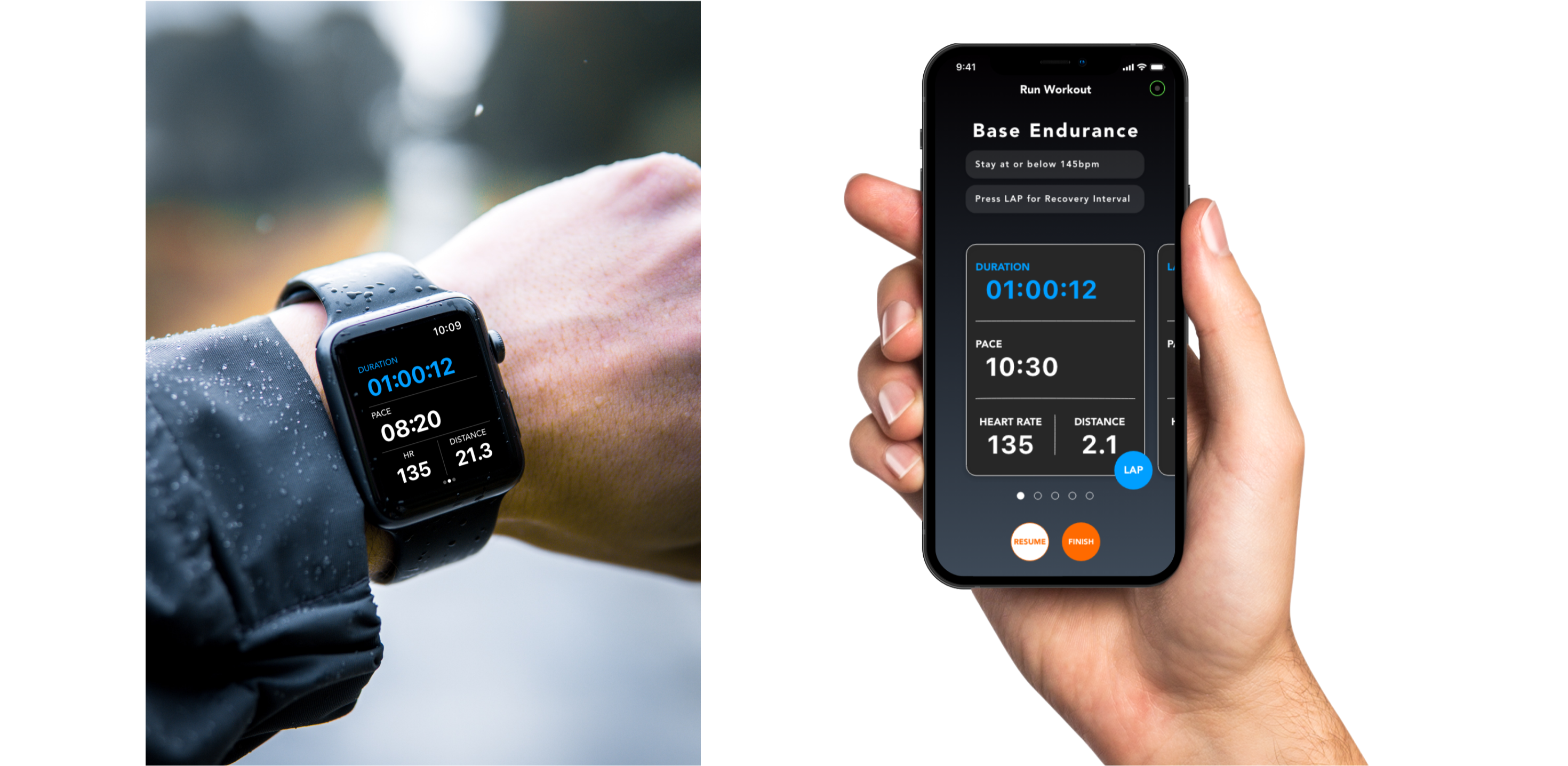
Designing for clarity during intense physical activity
The user interface was designed to present complex athletic data in a way that is immediately readable, even during workouts. Mockups combine the Apple Watch and mobile app interfaces to show how data flows across devices.
Onboarding
Personalized training starts with personal data
Personalized training programs require personal data collection for performance optimization. A dedicated flow section explains the Pod connection to the smart shirt and smartphone.
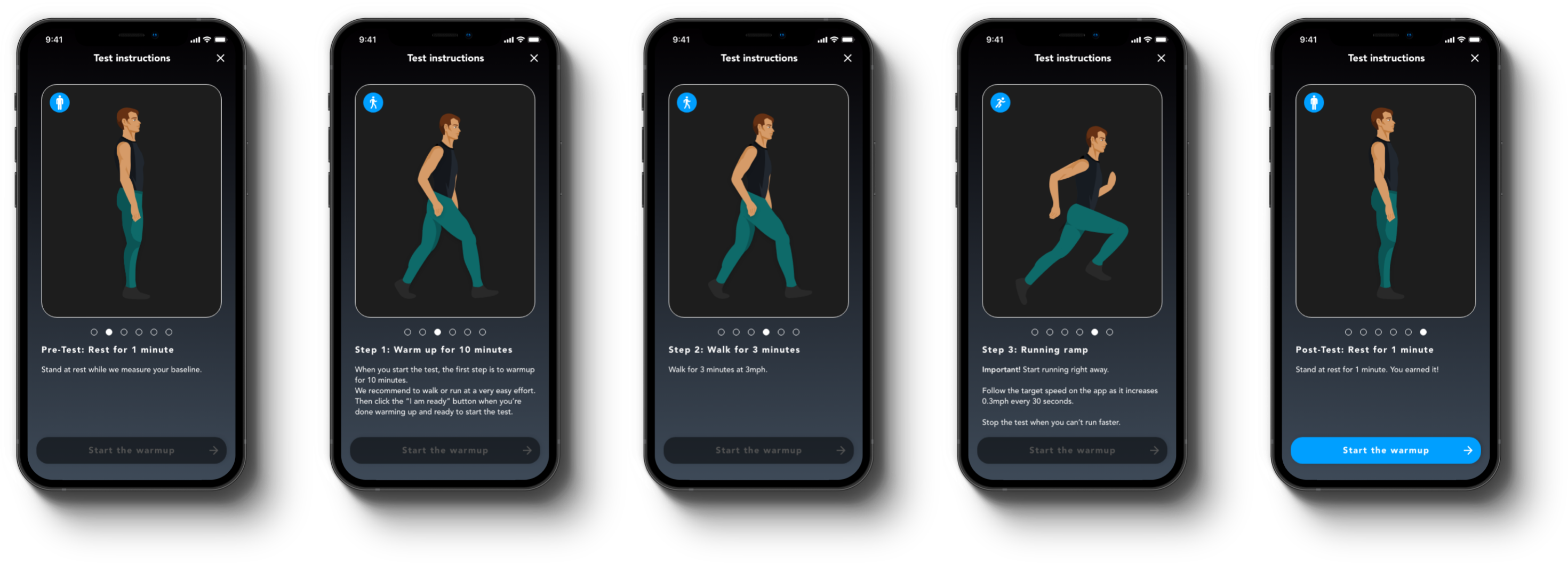
Each threshold test stage includes a small onboarding section with a visible "Start the warmup" button, always accessible and non-intrusive. The "Start the warmup" phrasing reminds users to warm up, preventing injuries.
Smartwatch Design
Quick access to live data during training
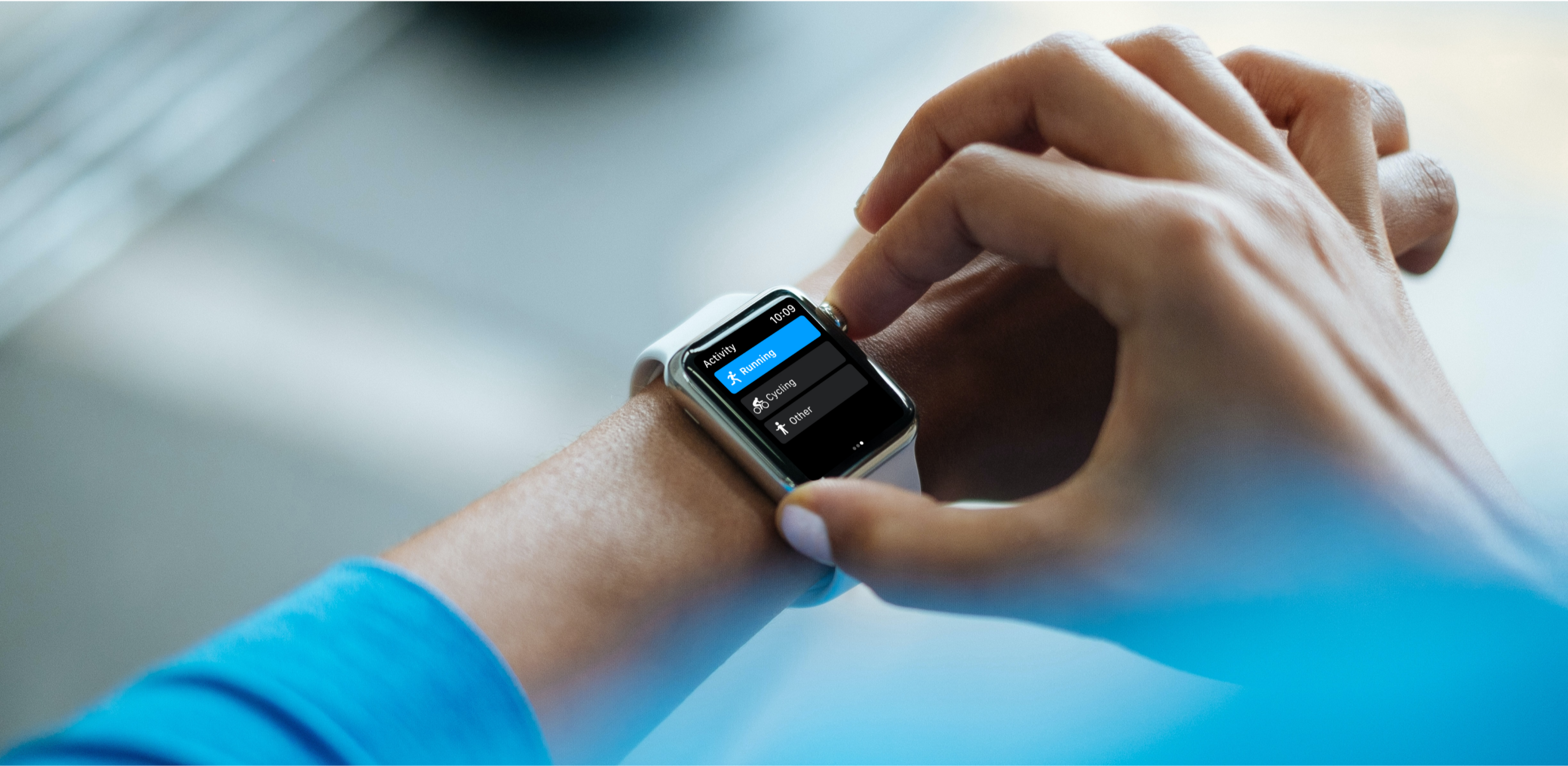
Users monitor live data during training via smartwatch for quick access. The smartwatch interface is designed for at-a-glance readability during physical activity.
Apple Watch
Designed from scratch for the wrist
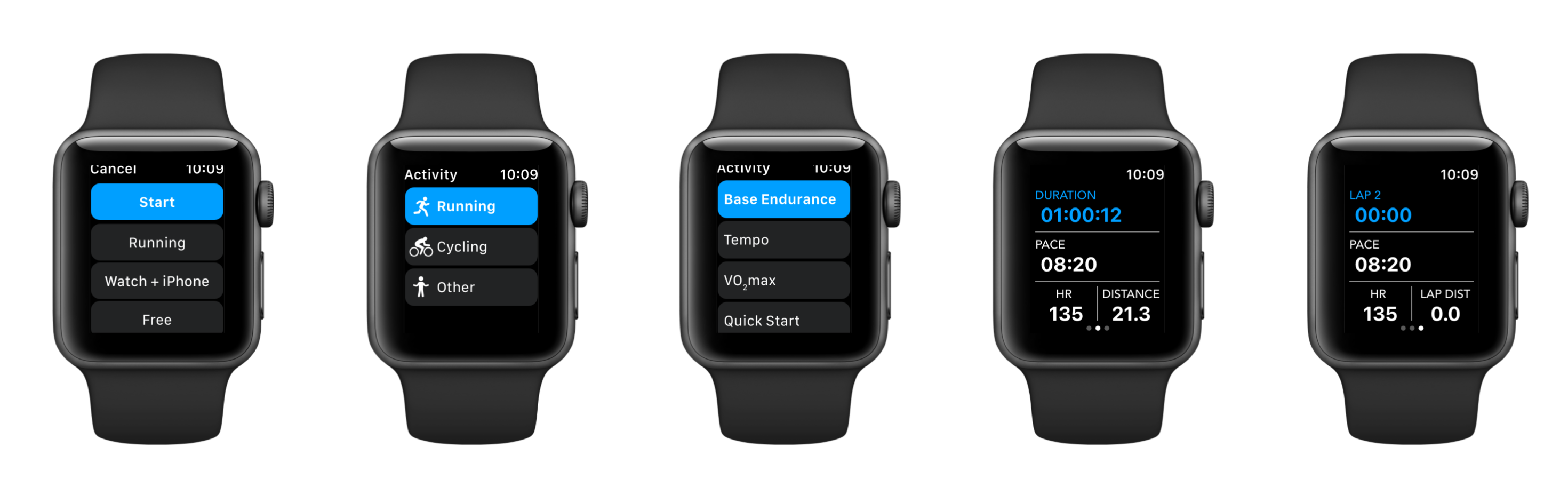
The Apple Watch app provides activity details access, workout control (start/pause/end), assisted workout monitoring, and real-time metrics verification to prevent injuries and overtraining.
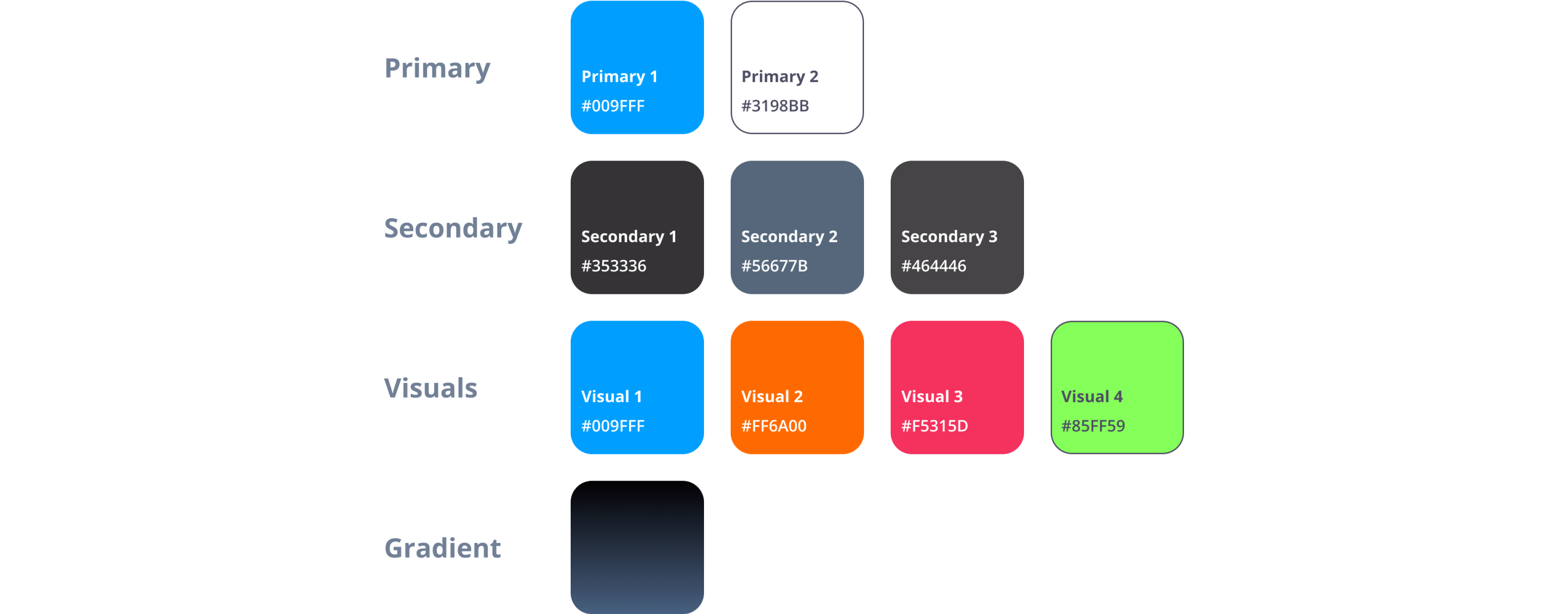
Colors
Dark mode preferred by 90% of athletes during training
Dark background with contrasting colors for buttons and text. Light white and bright blue, green, orange, and pink variations ensure readability and accessibility during physical activity.
Typography
Avenir and Roboto for maximum readability
The font selection combines Avenir and Roboto with high font-weight values for contrast and readability against dark backgrounds.

Validation & User Feedback
Real athletes, real results
"I had all the information I needed to be able to train at the right intensity in order to improve."
— Sybille Rex, Ph.D. Biophysicist, Triathlete, Triathlon Coach
"The Tyme Wear test can help anyone. You don't have to be a professional athlete to improve like one."
— Mark Mitchell, Engineering Manager, Ironman 70.3 Triathlete
"The Tyme Wear tests are a huge asset to my time management & recovery during busy weeks with short recovery windows."
— Brad Mitchell, Triathlete, Triathlon Coach
Testimonials
Kind words from the team

"Roxana is a fantastic UI/UX designer. Highly recommended! Her background in math and computer science along with her command of design practices and aesthetic are a perfect combination for someone who can create implementable, functional, and compelling designs based on a brief or a collaborative effort. She works fast, and her communication is really clear, she is always cheerful and a pleasure to work with. She provides really helpful feedback and input throughout the design process, receives and works with feedback really well, and always has the user experience in mind."
A big thanks to the people who participated in user and product testing and gave us feedback during the development phases to improve the idea. In particular, I would like to thank Arnar Larusson and Vlad Bonta for their remarkable collaboration skills. That's all. 👋